 01
Gyms and boxes
Dues, open memberships and classes. Access control at the front desk.
FitVibe ↗Connect your team, members, payments and bookings in one platform, wherever your institution operates. Available worldwide, with subscriptions payable in US dollars (USD).
Available worldwide · USD subscription · 6 languages
Features↓FITVIBE
FitVibe · Your brand and your logo · A member app for your institution · Up and running the same day
01 / Who it's for
FitVibe adapts to the vocabulary and the day-to-day operation of each kind of sports facility.
02 / FITVIBE COURTS
Stop duct-taping an Excel sheet, a payments notebook and a WhatsApp group together. Every module talks to the rest.
Sign-ups in seconds, monthly, quarterly and annual plans or day passes, automatic expiry dates and a profile with the full history.
Cash, transfer, debit, credit, MercadoPago and Stripe. Late fees, discounts, voided charges and a till that balances at close of day.
Front-desk check-in that never holds up the line: it flags expired, unpaid and suspended members. Works with turnstiles and QR from the member's phone.
03 / Everything in one place
Stop duct-taping an Excel sheet, a payments notebook and a WhatsApp group together. Every module talks to the rest.
Sign-ups in seconds, monthly, quarterly and annual plans or day passes, automatic expiry dates and a profile with the full history.
Cash, transfer, debit, credit, MercadoPago and Stripe. Late fees, discounts, voided charges and a till that balances at close of day.
Front-desk check-in that never holds up the line: it flags expired, unpaid and suspended members. Works with turnstiles and QR from the member's phone.
Weekly schedule, capacity, waitlists and bookings that check the membership before confirming. Bulk cancellations in one click.
Renewal reminders, birthdays and win-back campaigns for lapsed members. The ones who were drifting away come back on their own.
Revenue, sign-ups and cancellations, retention, attendance by time slot and performance by location. Numbers to decide with, not guess with.
05 / FITVIBE IA
Workouts assigned from the dashboard, an exercise library with video and an AI coach that builds the plan and answers the member.
Renewal reminders, birthdays and win-back campaigns for lapsed members. The ones who were drifting away come back on their own.
Revenue, sign-ups and cancellations, retention, attendance by time slot and performance by location. Numbers to decide with, not guess with.
06 / Getting started
Gym name, your unique code, done. No installs, no servers, no technician visit.
Set your plans and prices, import your member list and drop in your logo and colors. Half an afternoon of work, once.
Reception takes payments and check-ins, members book from their phones, and you watch the numbers from wherever you are.
Frequently asked questions
No. FitVibe runs in the browser, on the front-desk PC, on a tablet or on a phone. If you want access control with a turnstile or a QR reader, they integrate, but you can start with none of it.
You can use and subscribe to FitVibe from any country. Set your operating currency, time zone and interface language from 6 available options. Your FitVibe subscription can be paid in US dollars (USD) from anywhere in the world.
Yes. You can pay for your FitVibe subscription in US dollars (USD) from any country. Your subscription currency is independent of the currency you use to manage your institution’s membership fees and payments.
Yes, it's built for chains: each site handles its own members, its own till, its own check-ins and its own classes, and management gets the consolidated view of all of them.
Cash, transfer, debit, credit, MercadoPago and Stripe (cards from any country). The system works out due dates, applies late fees or early-payment discounts and keeps the history of every charge so you can audit it later.
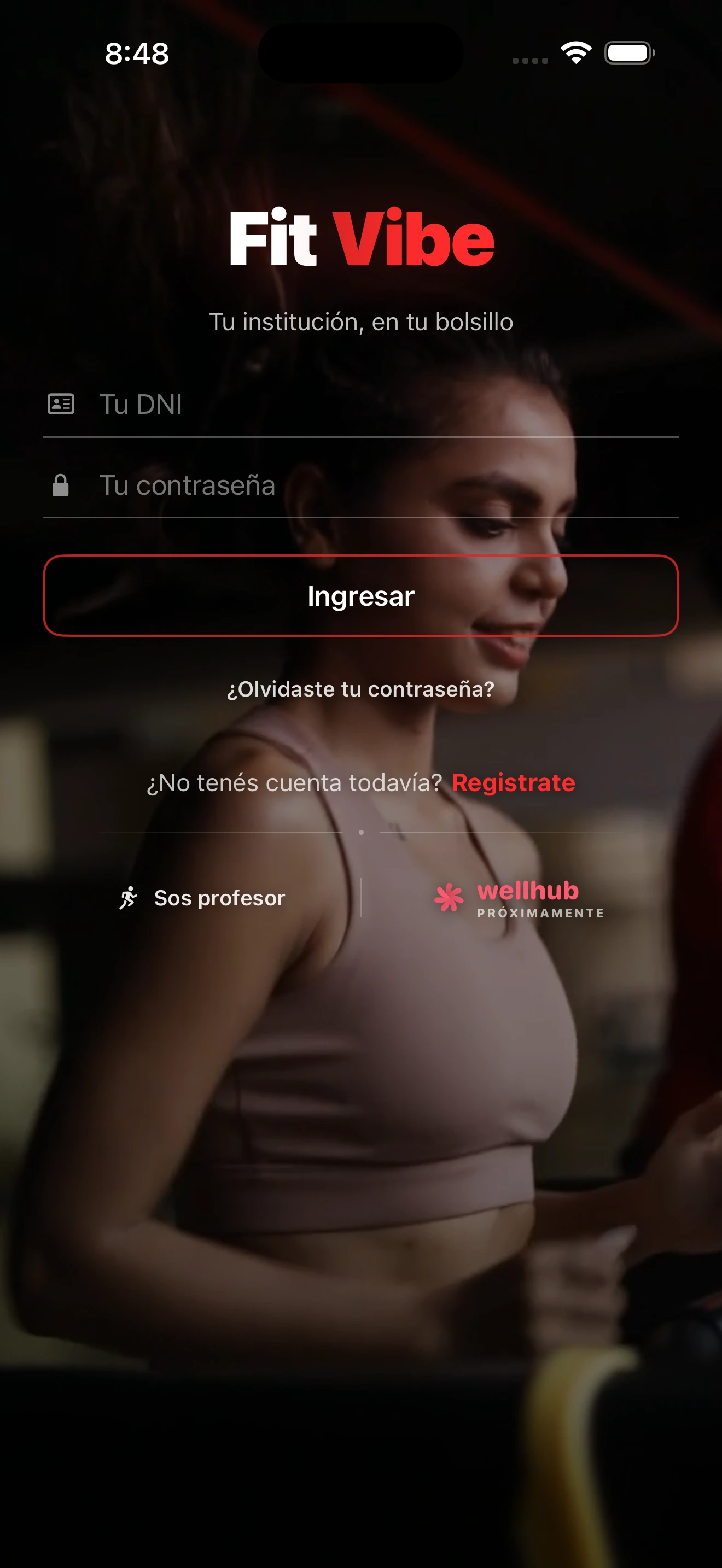
Yes, and it's included. It's a web portal that installs on the phone like an app, with your brand: access QR, class booking, workouts, payments and progress. There's a native iPhone app too.
FITVIBE
FITVIBE APPS
Download FitVibe for Android or iPhone. Sign in to your institution and keep your bookings, account and activity with you.
FITVIBE WORLDWIDE
Subscribe to FitVibe from any country and pay in US dollars (USD). Choose the plan that fits your activities, locations and team.